Your folders. Your metadata. Blazing-fast browsing.
Organize once, then enjoy your collection without lag. No proprietary vault, no import step, no cloud lock-in—built in Rust and vanilla JS for speed, interoperability, and file safety.
Free & GPL-3.0 open source·Offline-first (0 network calls by default)·EN / FR interface
Windows 10+ · .msi
Linux · .deb, AppImage
Tauri v2 · Rust · vanilla JS
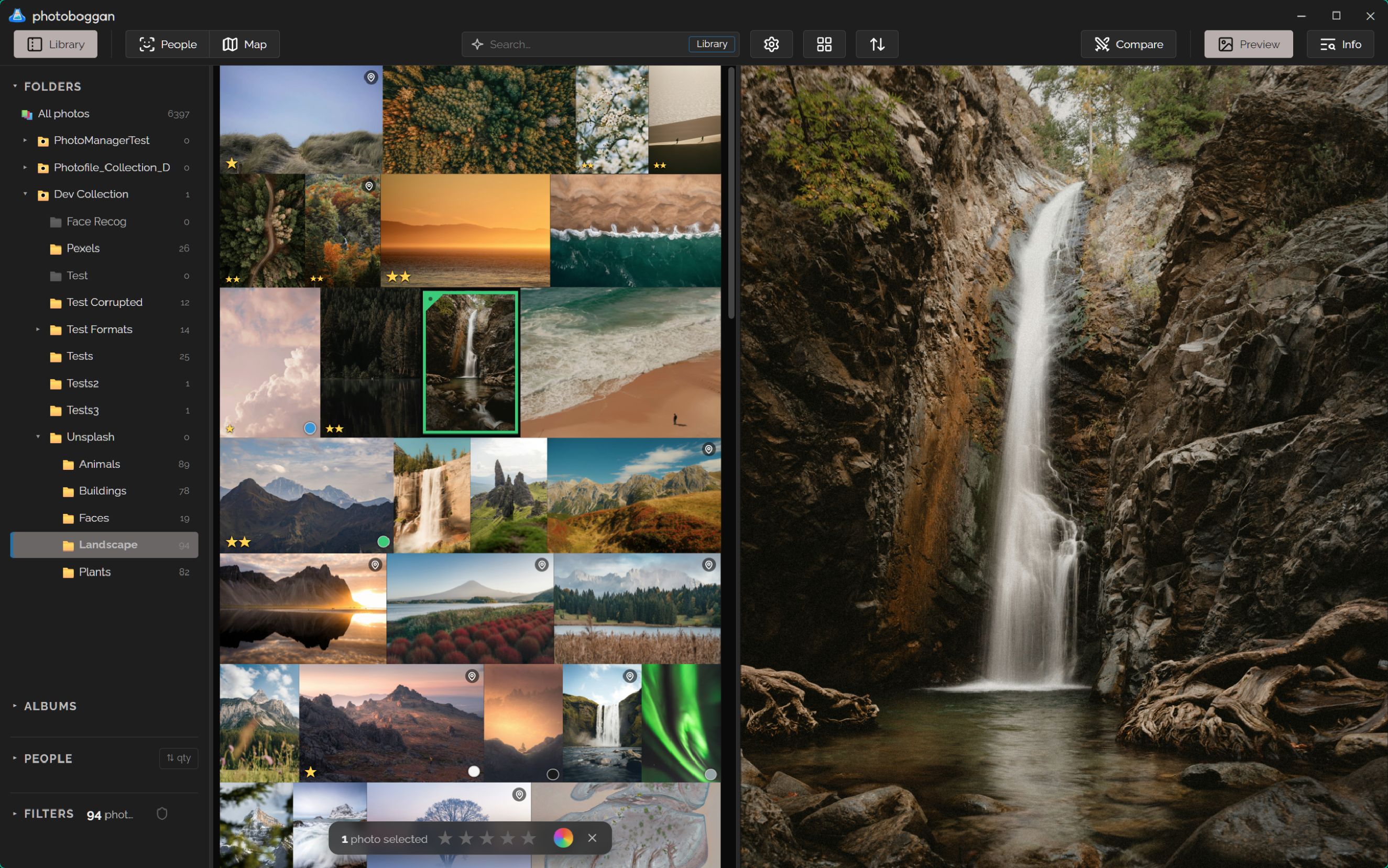
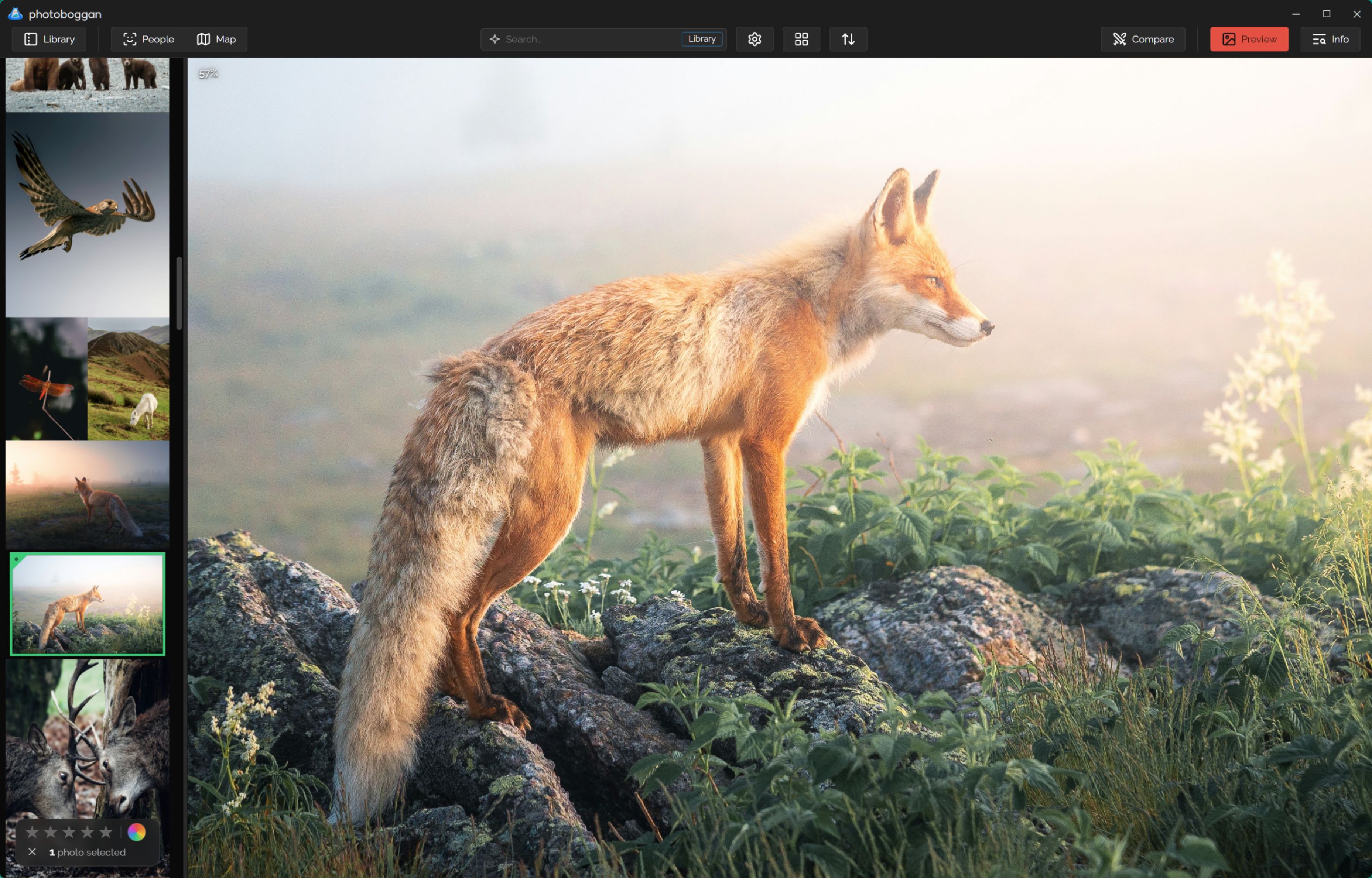
photoboggan — Library · Preview · InfoIn-place on disk
Flexible UI to adapt your workflowRust + SQLite WAL + Tauri
Zero copyYour disk folders stay the single source of truth—no duplicate library or lock-in.
0 pixels touchedMetadata edits never re-encode image data. Atomic writes with read-back check.
200k+ readyVirtual grid (50k/page), 256-folder cache, DCT scaling, and embedded RAW previews.
100% local AIOptional face recognition & SigLIP 2 content search run entirely on your machine.
Built for daily flow
One fluid workspace. Several ways to work & explore.
Toggle only the panels you need: folder tree, albums & filters; preview; keywords, info & description; map — and inspect every screenshot in full resolution.
Click to enlarge ↗
Photos first
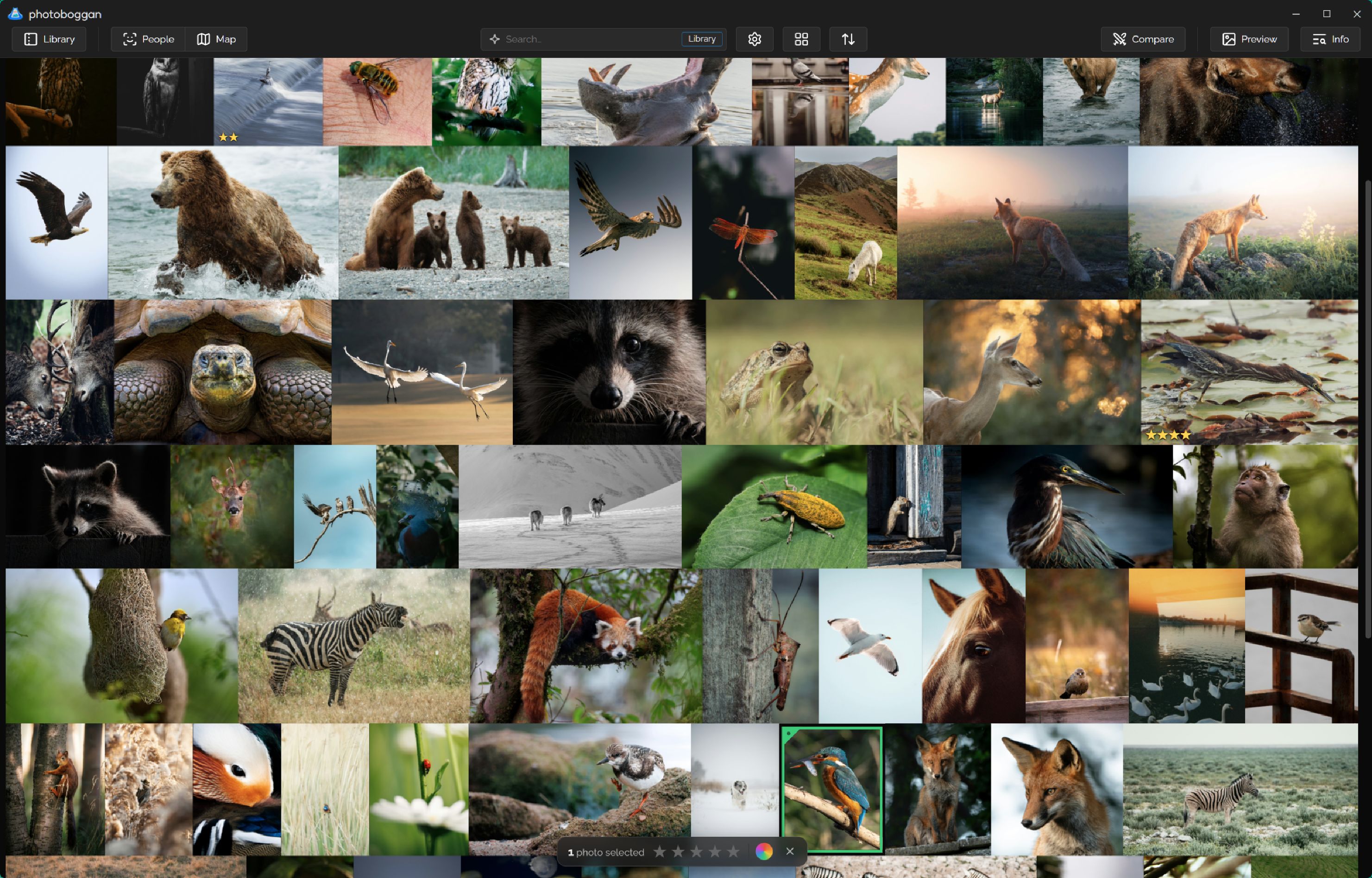
Fluid virtual grid & instant 1:1 inspection
Scroll massive collections with mouse wheel, drag-and-slide or keyboard navigation, then switch seamlessly to full screen without losing focus.
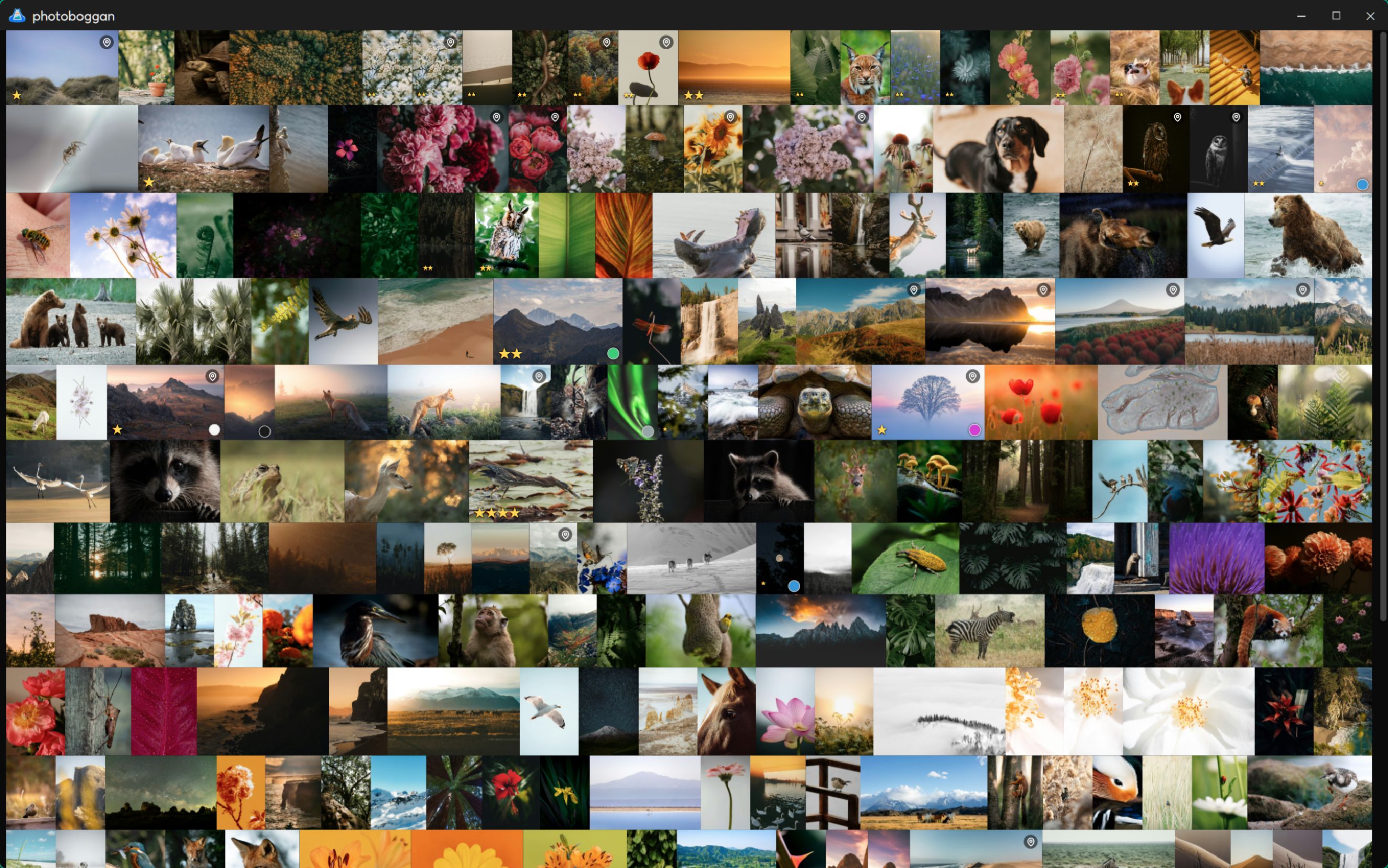
Justified (uncropped), masonry, square, and framed layouts
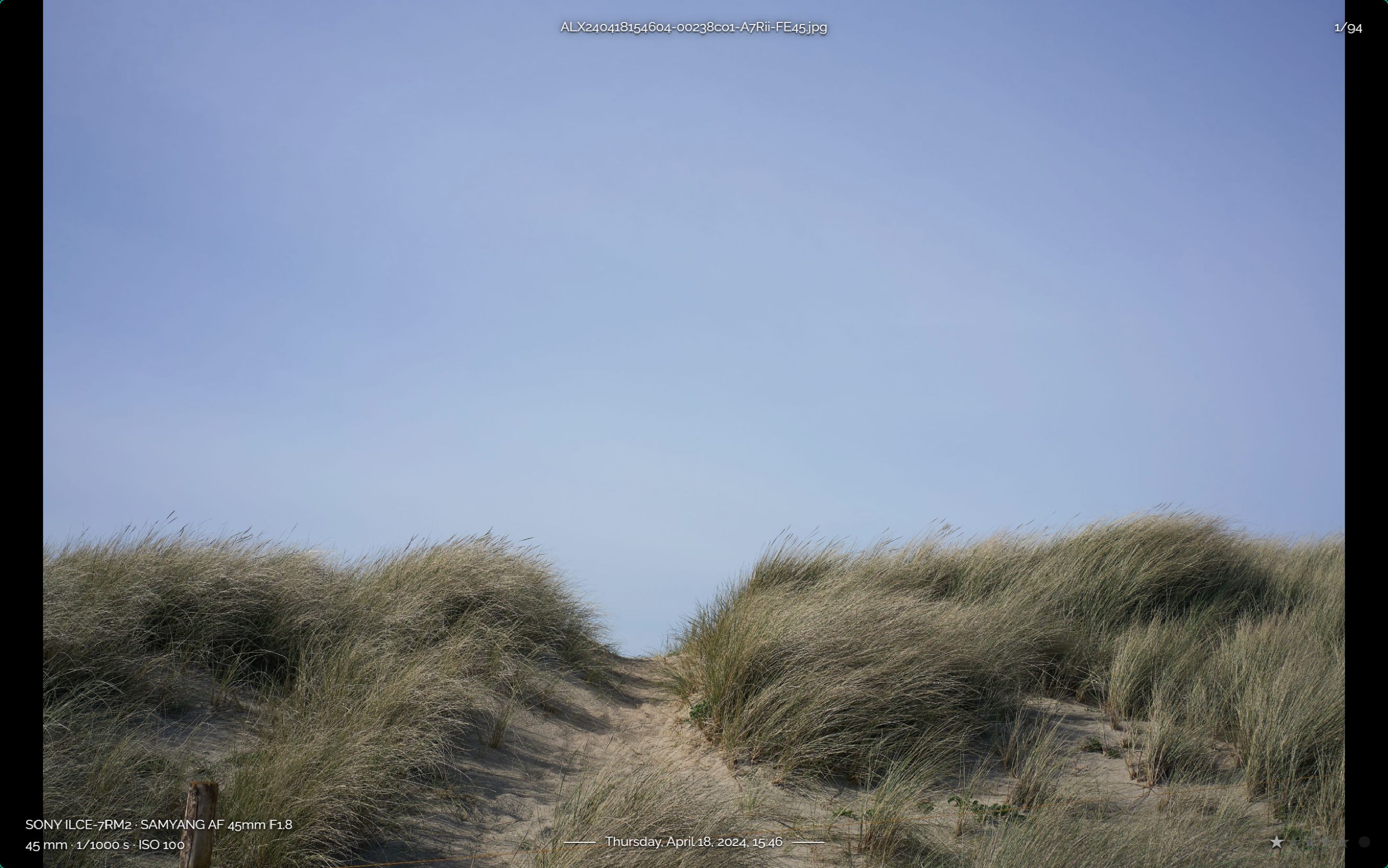
Instant 1:1 zoom & pan by holding Z under the cursor
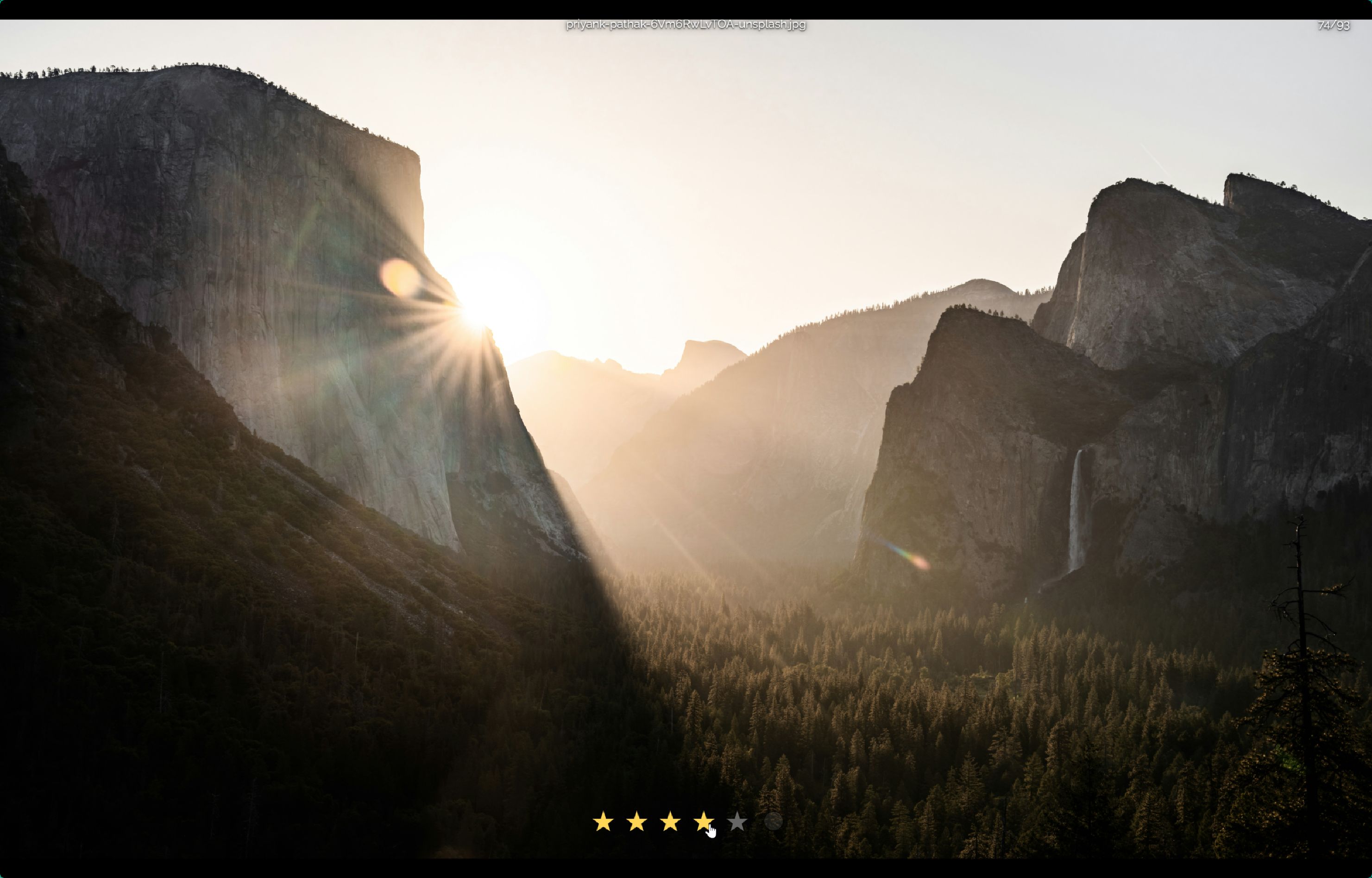
Stars (0–5), color labels, and pick/reject flags with auto-advance
Live histogram, highlight/shadow clipping alerts, and 20-step Undo (Ctrl+Z)
Embedded JPEG previews for RAW files—no slow CPU demosaicing
Click to enlarge ↗
Fast culling & tagging
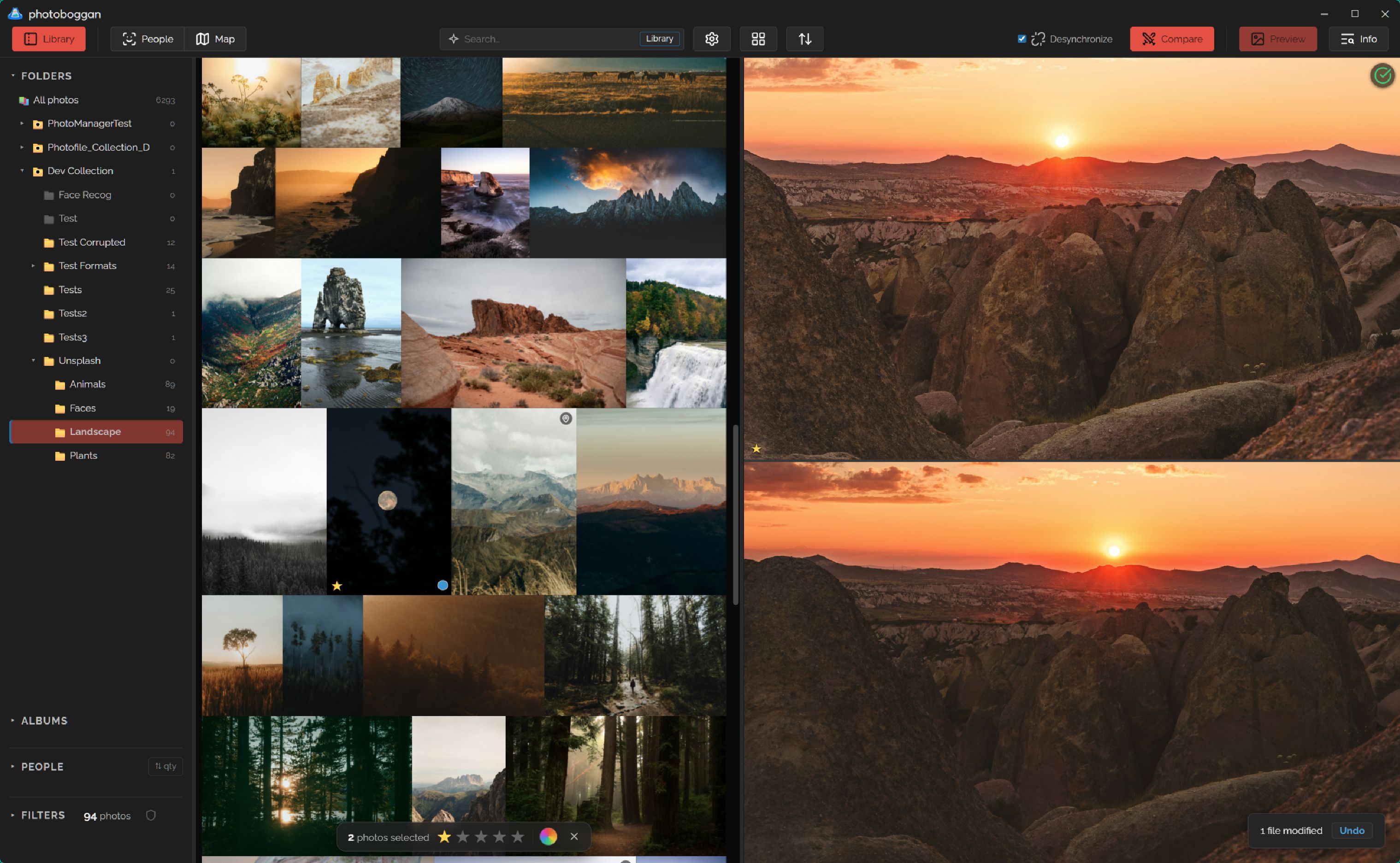
Compare 2–4 shots & batch-tag safely
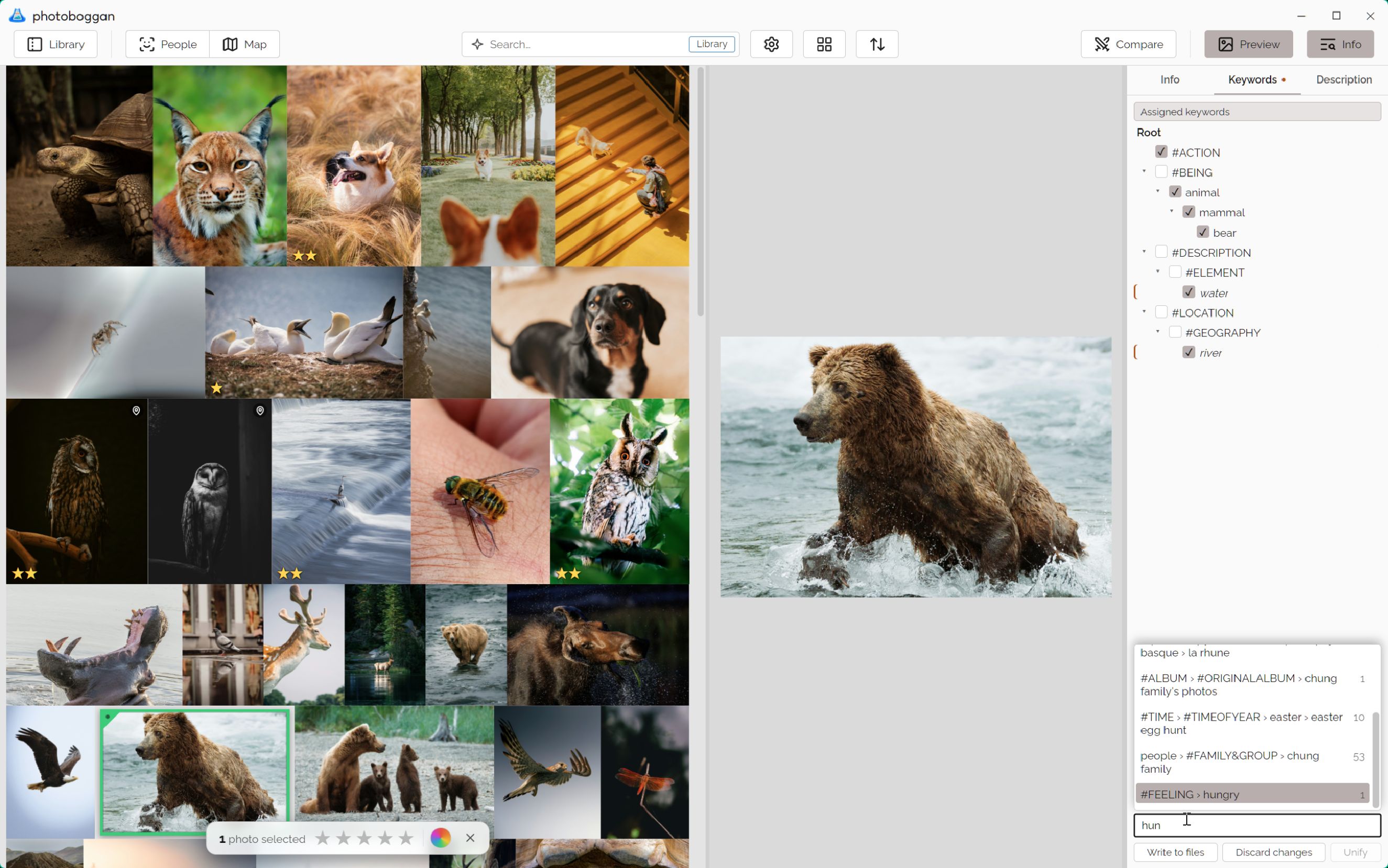
Pick the sharpest frame side-by-side, then apply hierarchical keywords, titles, descriptions, and author/copyright presets in one clean batch.
Synchronized zoom and pan across 2–4 photos, unlinkable at any time
Sub-select winners or rejects right inside Compare mode
Batch keyword editing preserves existing untouched keywords on each photo
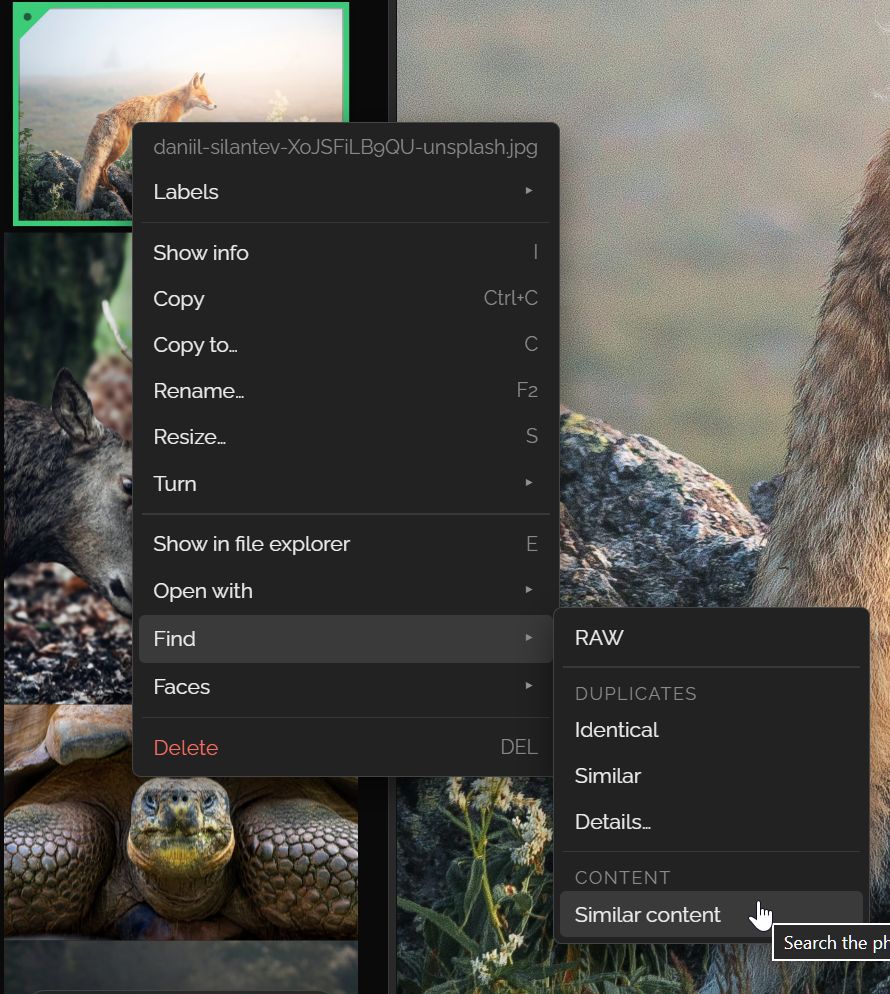
SigLIP 2 text search ("beach at sunset") & visual similarity search
Two-way keyword suggestions—never written to files without your explicit Apply
Background scan automatically pauses whenever you browse, tag, or generate thumbnails
Click to enlarge ↗
Optional · Strict privacy rules
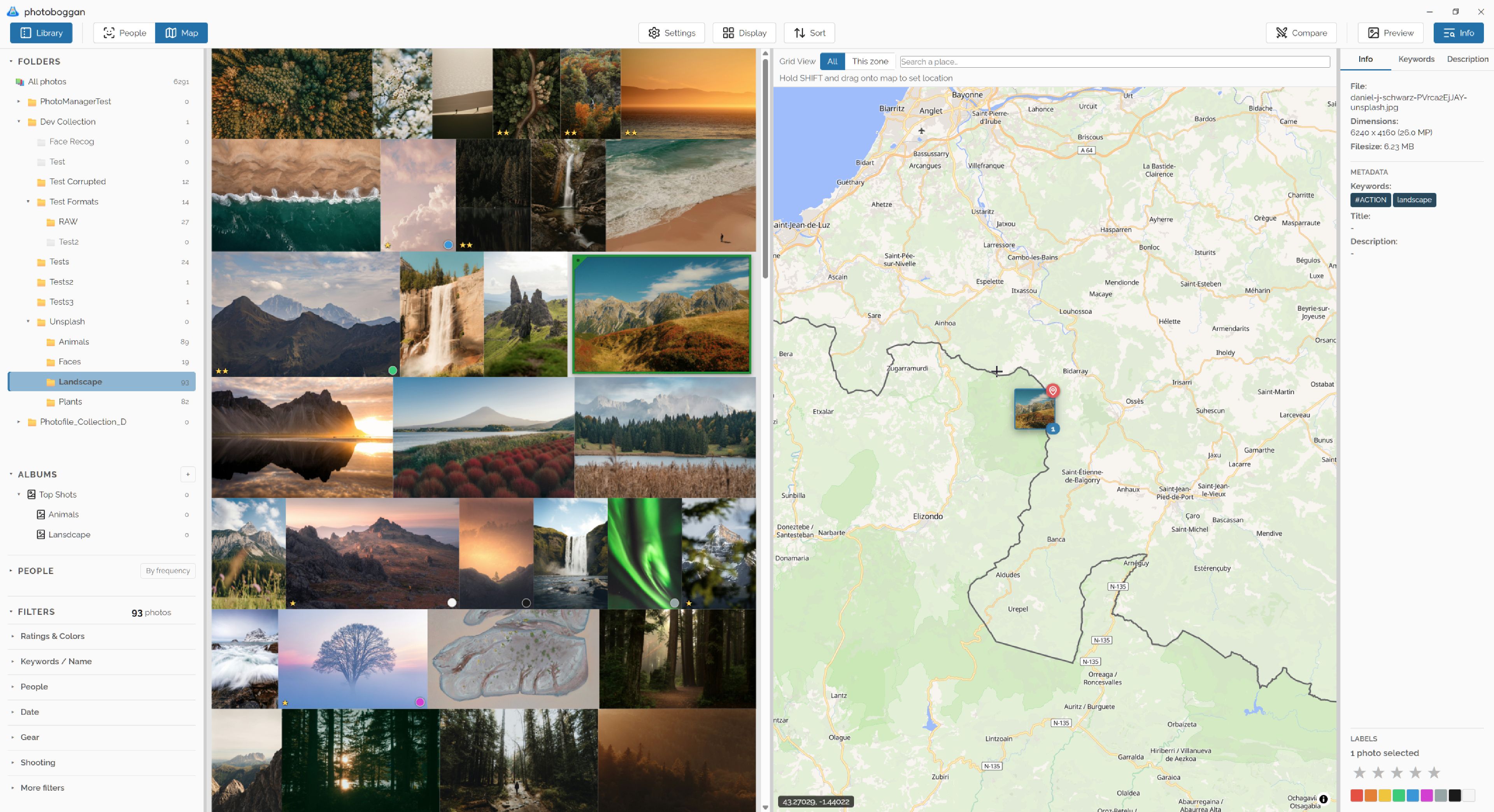
Geotagging that never leaks your home
Browse photos on vector maps, drag selections onto the map to tag locations, or strip GPS coordinates cleanly before sharing.
Filter the grid to the visible map area or search places on demand
Private Zones: draw areas (e.g., Home) or import local .mbtiles
Any tile touching a private zone is served from disk—never requested online
Cache map zones locally to eliminate repeat tile provider requests
Erase GPS before sharing while keeping a restorable local backup
Click to enlarge ↗
Clean up & rediscover
3-way Duplicate Finder, Smart Albums & Stats
Uncover duplicates without false positives on burst shots, combine deep EXIF/keyword filters, and organize with zero file duplication.
Identical image data (ignores metadata changes so re-tagged copies match)
Perceptual similarity (pHash) handles resize/rotation while ignoring bursts
Rank duplicates with custom "Best Copy" rules & jump from JPEG to matching RAW
Manual & nestable smart albums that inherit and refine parent filters
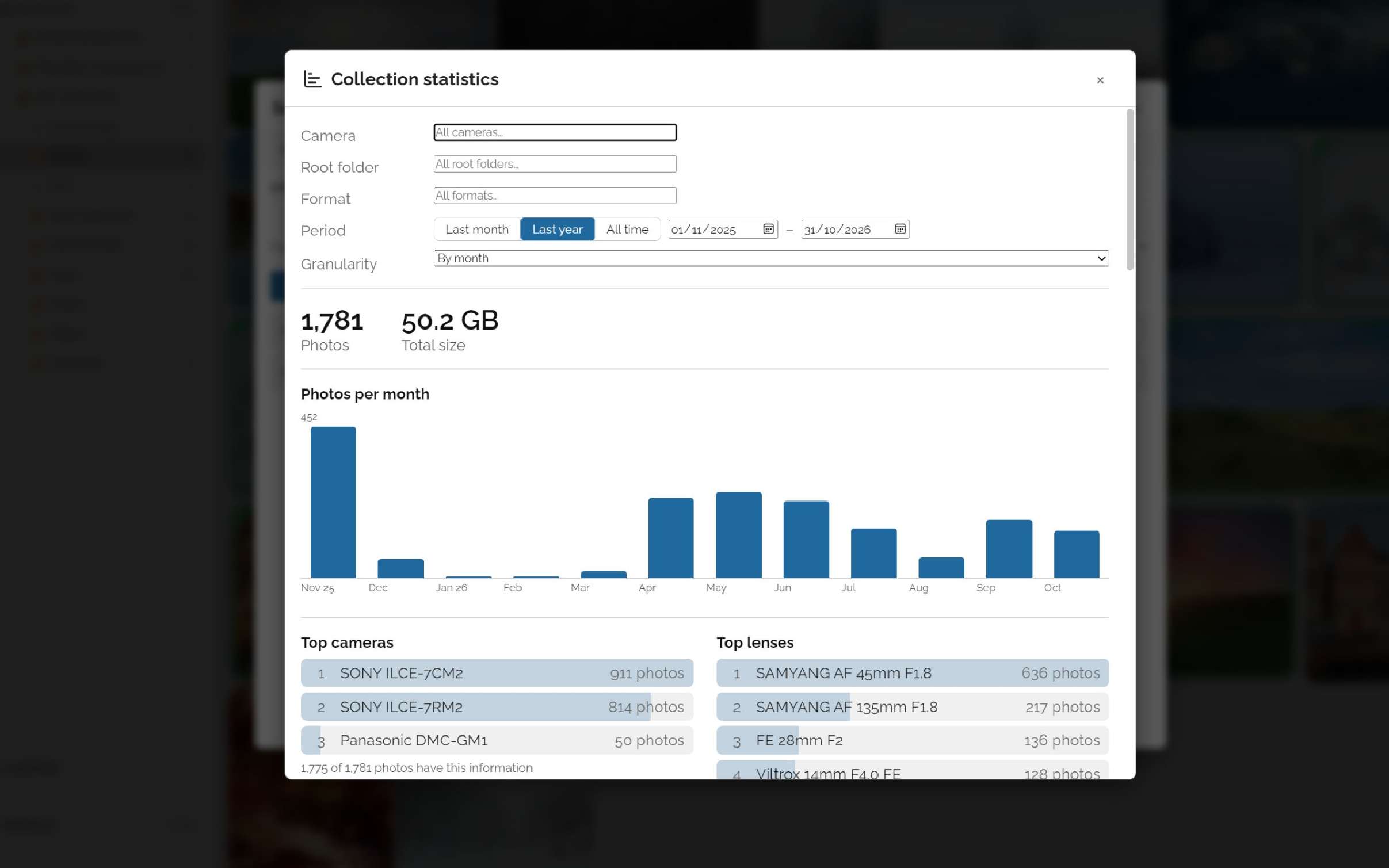
Collection statistics across cameras, lenses, exposure settings, dates, and tags
Engineered for trust
Your originals are sacred.
Every metadata write and file operation follows strict safety invariants—verified by automated unit and ExifTool integration tests.
1
Stage & Lock
Edits stay staged until Apply. Per-file locks serialize writes so two operations never race on one image.
2
Atomic Write
Writes go to a temporary file first, flushed before rename. Pixels are never decoded or recompressed.
3
Read-back Verify
Every written file or .xmp sidecar is immediately re-read. Any mismatch is reported—never masked as success.
4
Recover & Sync
On failure, ExifTool temp copies are preserved or restored automatically, and the SQLite catalog reflects reality.
Interoperable XMP, IPTC & Sidecars
Choose the bundled persistent ExifTool pool (gold standard across formats) or the fast native Rust XMP/IPTC writer. JPEG and HEIC/HEIF are updated in-container; RAW, PNG, and video metadata live in standard sidecars without overwriting shared photo.xmp pairs. Configure your own read-priority order across digiKam, Lightroom, Media Pro, Microsoft, and ACDSee schemes.
Private Photos & Explicit Offline Mode
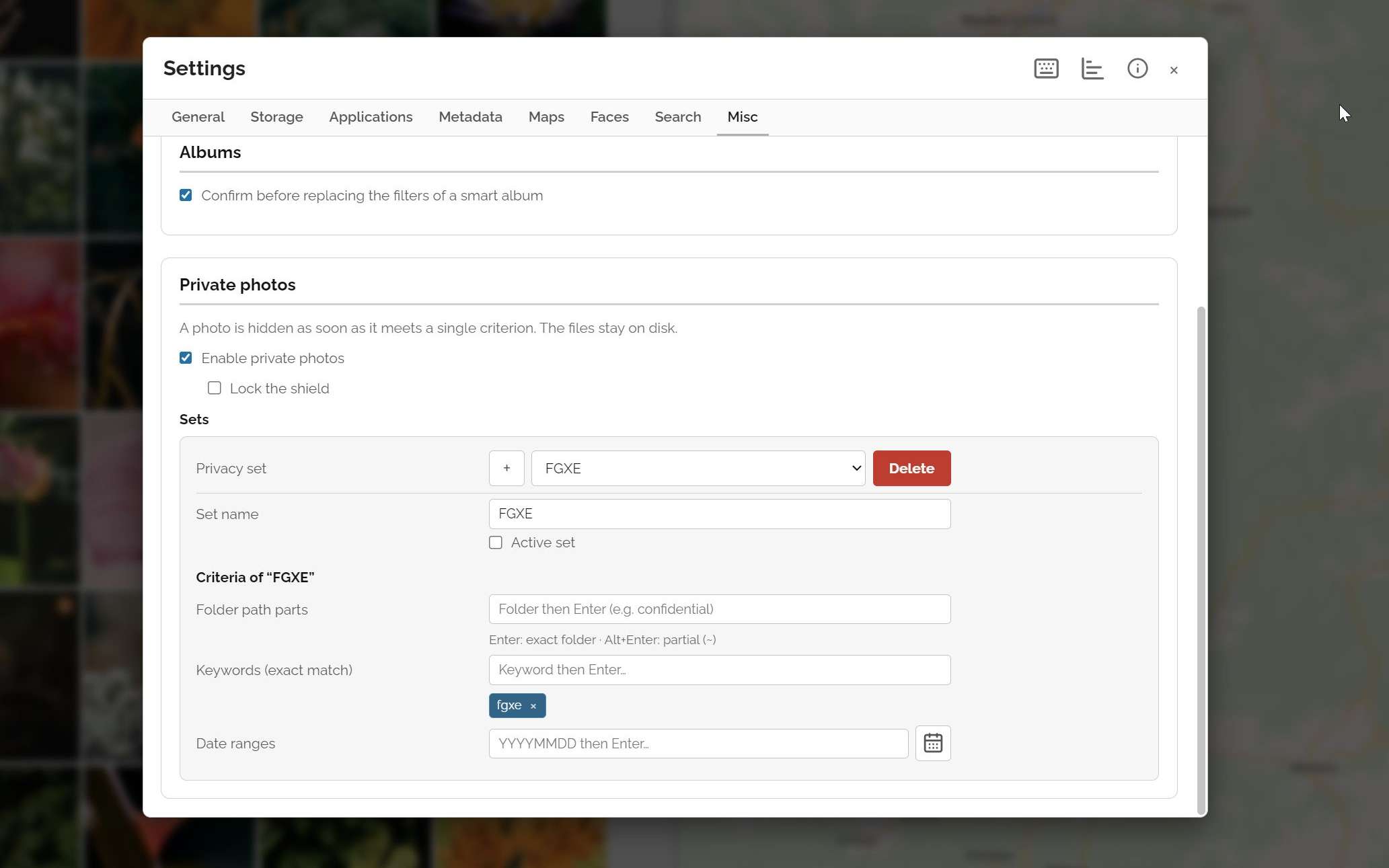
Define cumulative Privacy Sets (by folder path, keyword, or date range) to hide sensitive photos across the grid, albums, people, and duplicate searches—restored before the UI even renders, with folder deletion blocked while active. Need total isolation? Flip Offline Mode to block every backend & map network call across the app.
Safe File Moves, Trash & Integrity Scans
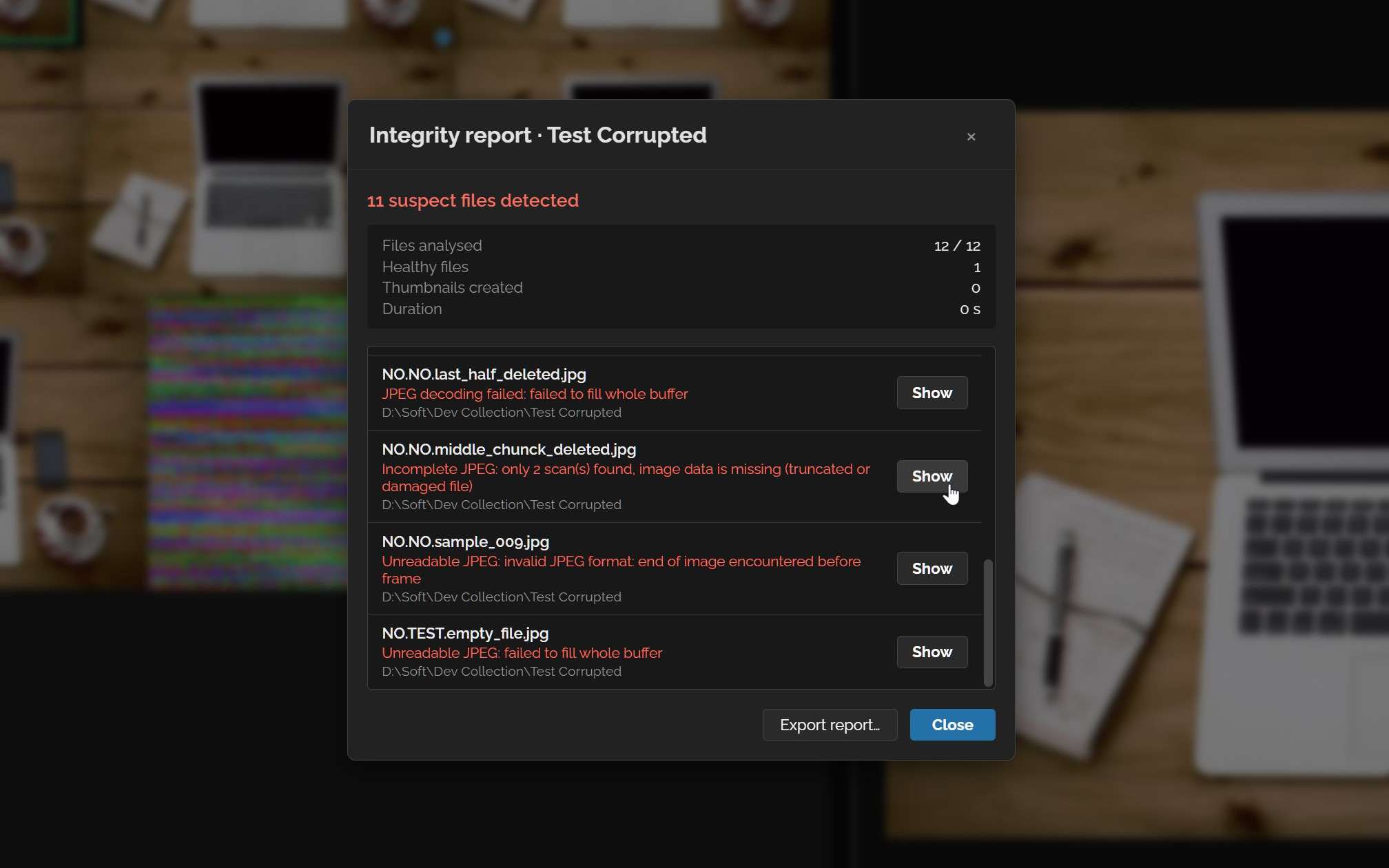
Cross-drive file moves verify SHA-256 checksums before removing originals. Deletions go to your OS trash (with explicit warning before permanent deletion on network/removable drives). Built-in Integrity Check scans folders for truncated JPEGs or corrupt PNG/WebP/HEIC/RAW previews while generating missing thumbnails in one pass.
Lean Native Stack, Zero Bloat
Powered by Tauri v2, a multi-threaded Rust backend, SQLite WAL, and a pure vanilla JS frontend (no Electron, no React/framework overhead). Place your catalog and thumbnail cache on a fast SSD, pause/resume long scans across restarts, and verify GitHub update installers by published SHA-256 digests.
Feature
What connects, where, and when
Default
Library, culling, keywording
Nothing. Core browsing, rating, and metadata writing never touch the network—everything stays on your disk.
0 calls
Maps & geocoding
Map tiles are fetched from openfreemap.org only while a map panel is open and only for the visible zone. Private Zones are always served from disk—never requested online. Searching places calls Nominatim (OpenStreetMap).
Off by default
AI models (faces, content search)
Model downloads from verified sources only if you enable them. Import files manually instead and the app never connects.
Off by default
Update check
A single GitHub Releases lookup for new versions, with SHA-256 verification. Skip it entirely in Offline Mode.
Opt-in
Telemetry, analytics, accounts
There are none. No account, no tracking, no crash reporter phoning home.
Never
Full capability overview
Everything you need in a clean UI.
Workflow & UI
Virtual Grid & 4 Layouts
Justified (uncropped), masonry, square, and framed views with 50k-photo pagination, date/folder separators, and drag-inertia scrolling.
Workflow & UI
Fullscreen, 1:1 Hold-Z & Slideshow
Neighbor preloading, hold Z for instant 1:1 cursor zoom, live RGB/luma histogram, clipped highlight/shadow overlay, and configurable slideshow.
Workflow & UI
Compare 2–4 Photos
Inspect sharp focus side-by-side with linked or unlinked zoom/pan, sub-selection checkmarks, and instant rating or deletion.
Workflow & UI
Fast Culling & 20-Step Undo
Stars, color labels, and pick/reject flags (Shift+P/X) with Alt+key auto-advance, lossless metadata rotation, and 20-step Undo.
Workflow & UI
Customizable Workspace
Toggle every panel, pick dark or light theme, customize accent colors, text/panel sizing, hover dimming, and browse the built-in shortcut guide.
Workflow & UI
Virtual & Nestable Smart Albums
Group hand-picked shots into manual albums or create dynamic smart albums—even nested inside other albums to refine parent filter rules.
Metadata & Safety
Hierarchical Keywords & Author Presets
Manage structured keyword trees, batch-edit with Unify without clobbering untouched tags, and recall Author & Copyright presets.
Metadata & Safety
Dual Writer & Read Priority
Use bundled ExifTool or the fast native writer. Customize source priority per field across EXIF, IPTC, and XMP (digiKam, Lightroom, ACDSee, MS).
Metadata & Safety
Safe Sidecars, RAW & Video
RAW uses embedded JPEG previews (zero demosaicing); video opens in your OS player. Sidecar logic protects shared photo.xmp pairs from collisions.
Metadata & Safety
Private Photos & Offline Mode
Hide sensitive folders, keywords, or date ranges behind a lockable shield. Offline Mode disables all map, place, model, and update network calls.
AI, Maps & Search
Deep Exhaustive Filtering
Combine or exclude (Alt) filename, format, keywords, date/calendar, camera, lens, focal length, aperture, shutter, ISO, flash, people, and map bounds.
AI, Maps & Search
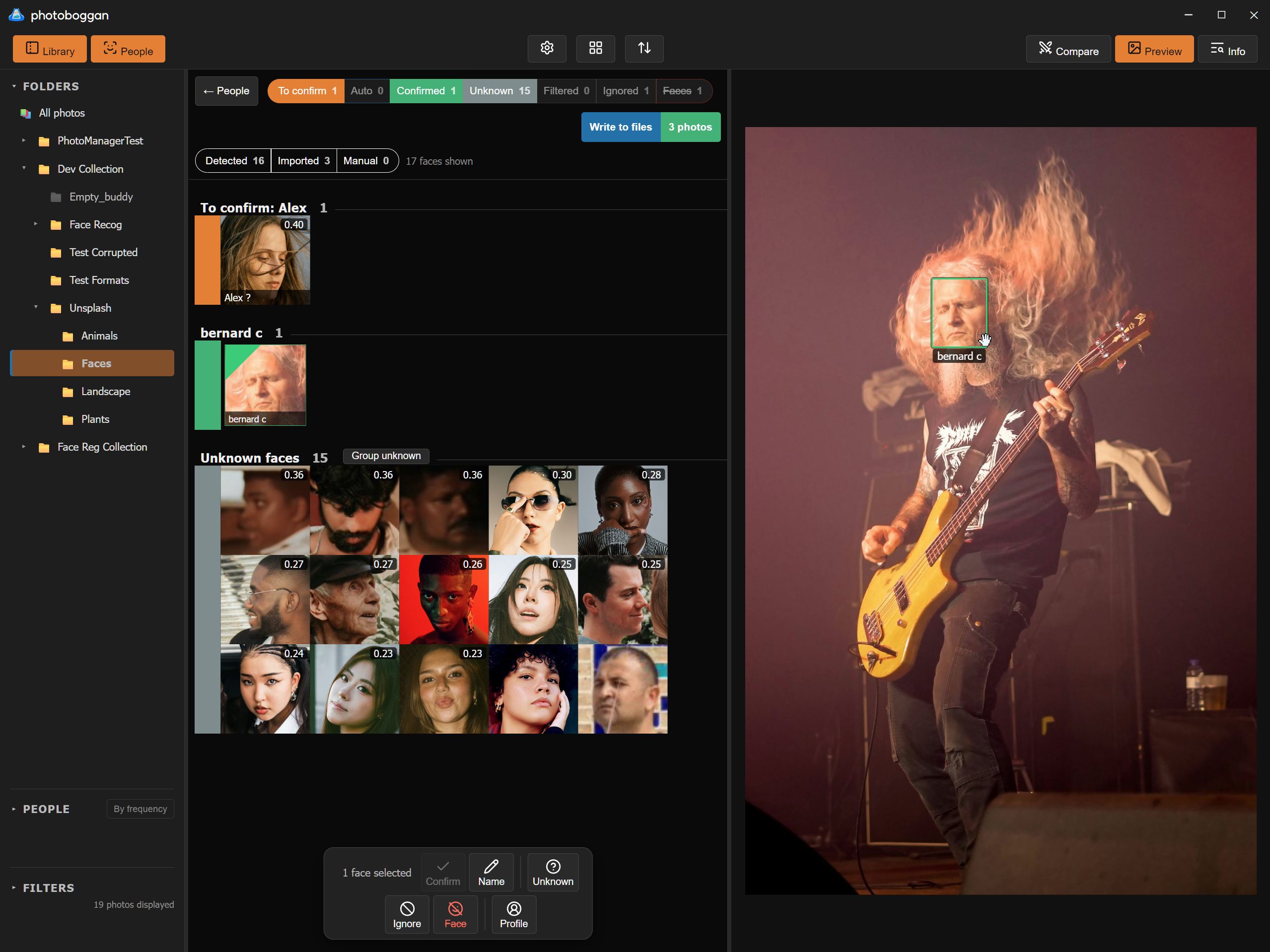
Local Face Detection & Review
Optional YuNet + SFace pipeline with live threshold tuning, unknown-face clustering, manual boxes, person merging (with undo), and XMP region write-back.
AI, Maps & Search
SigLIP 2 Content Search & Tag Help
Optional on-device semantic search by text or visual similarity, live relevance slider, and two-way keyword suggestions from your own vocabulary.
AI, Maps & Search
Maps, Geotagging & Private Zones
Optional MapLibre GL maps with drag-to-geotag, reversible GPS erase/restore, offline zone downloads, MBTiles import, and strict Private Zones.
AI, Maps & Search
3-Way Duplicates & Find the RAW
Detect identical pixel payloads, pHash visual lookalikes (ignoring bursts), or matching names. Rank with "Best Copy" rules and match JPEGs to RAWs.
Files & Maintenance
Batch Resize, Rename, Move, Copy
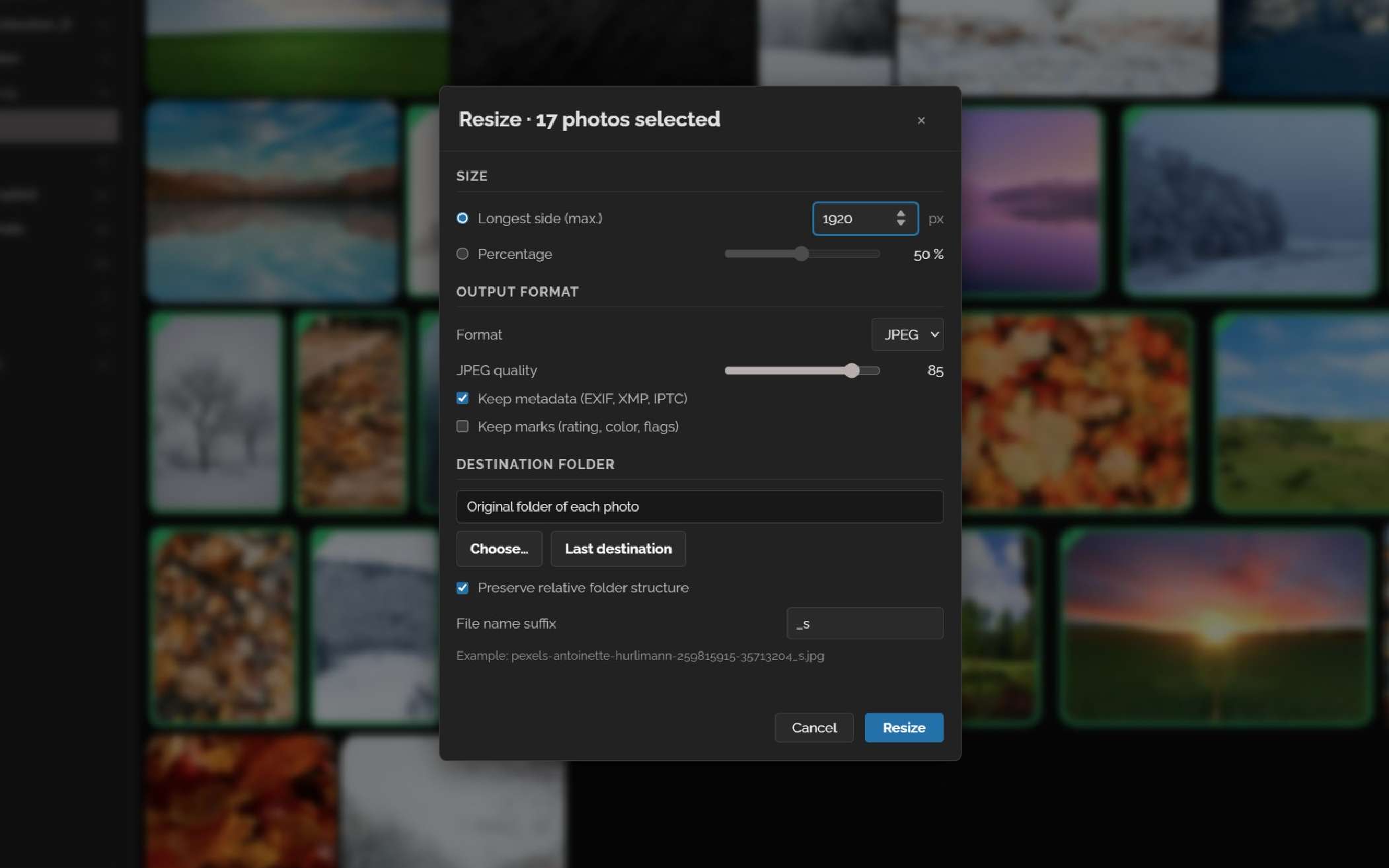
Resize batches preserving ICC profiles & rotated face regions, rename with variables and result preview, copy/move with SHA-256 verification and conflict UI.
Files & Maintenance
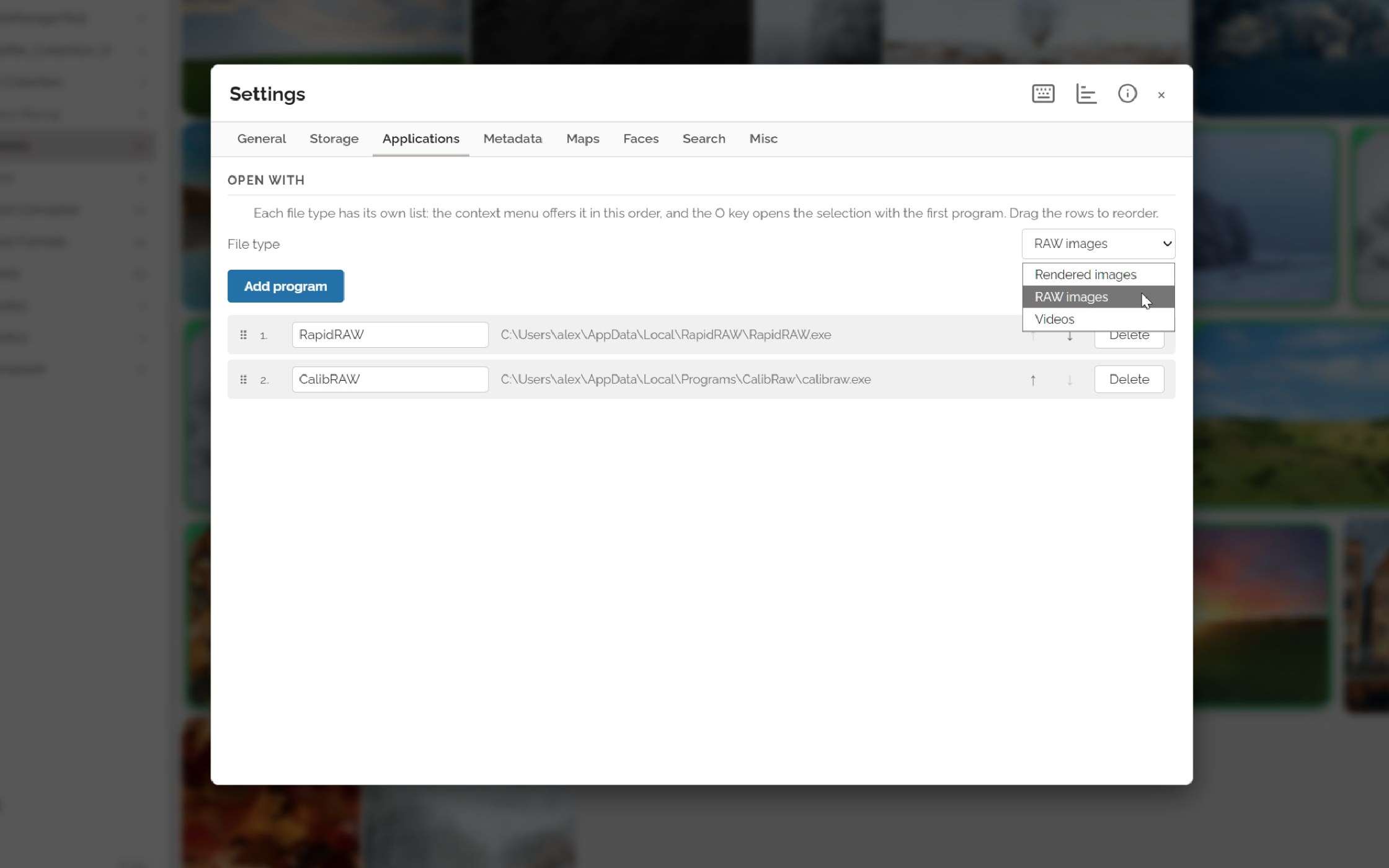
Open With your other Applications
Set your favorite applications distinctively of file type (raster, RAW, video) and launch them from photo's context menu. Reorder them so you can launch the favorite by just hitting 'O'.
Files & Maintenance
Integrity Check & Collection Stats
Verify JPEG/PNG/WebP/HEIC/RAW integrity with CSV export, purge orphan thumbnails, move cache to an SSD, and inspect library statistics.
Files & Maintenance
Resumable Queue & Verified Updates
Pause, resume across restarts, or cancel scans with live ETA. Optional GitHub update checks verify installer SHA-256 digests twice before launch.
Metadata & Safety
Lossless Rotation
Rotate by flipping the orientation tag only—pixels are never decoded or recompressed. Formats that cannot rotate safely (HEIC, videos) are excluded up front.
Files & Maintenance
Storage & Display You Control
Choose where the database, thumbnail cache, and offline maps live (pick an SSD!), set the cache resolution, sort by date taken/modified/filename, and show any file in your OS explorer.
Inside the interface
Every panel when you need it.
Split Grid & PreviewBrowse thumbnails beside a large image preview.
Hierarchical KeywordingTag batches with live autocomplete, and merge keywords across photos.
Full-Screen CullingRate and advance directly from the keyboard.
Full-Screen MetadataCamera, lens, and exposure details at a glance.
Vertical FilmstripResize panels down to a narrow strip for focused review.
All thumbnails onlyRemove all panels and toolbar, reduce the thumbnail size to see the whole shoot at a glance.
Why photoboggan exists
A silly name. A serious photo tool.
After 25 years of taking photos as a passionate hobbyist and dad, I wanted less time spent repeating organizing chores and more time enjoying the collection.
photoboggan doesn’t ask you to surrender your files to a proprietary catalog or upload family memories to the cloud. Keep your own folder structure, write industry-standard metadata, and turn on optional AI or map tools only when you want them.
Available in English and French, and easily extendable
Compatible with digiKam, Lightroom, ACDSee, and Windows Photos
Zero telemetry—check updates only if you opt in
AI/LLM disclaimer: I have more experience in photography techniques and developing than in code developing. Claude & friends helped make photoboggan possible, but they were micro-managed, under scrutiny, controlled and audited!
Platforms & Status
Get photoboggan
Windows (.msi)English & French installers. Tested daily on real collections.
Daily driver
Linux (.deb and AppImage)Ubuntu / Debian and AppImage packages (uses system perl for ExifTool). Feedback welcome!
Needs testers
Beta software notice: photoboggan treats file safety as priority #1, but it is still young software—always keep a healthy backup of your photos.
Behind the photos…
More tuning and possibilities…
Open with…Choose favorite external apps to open your files with per type (photos, RAW, Videos).
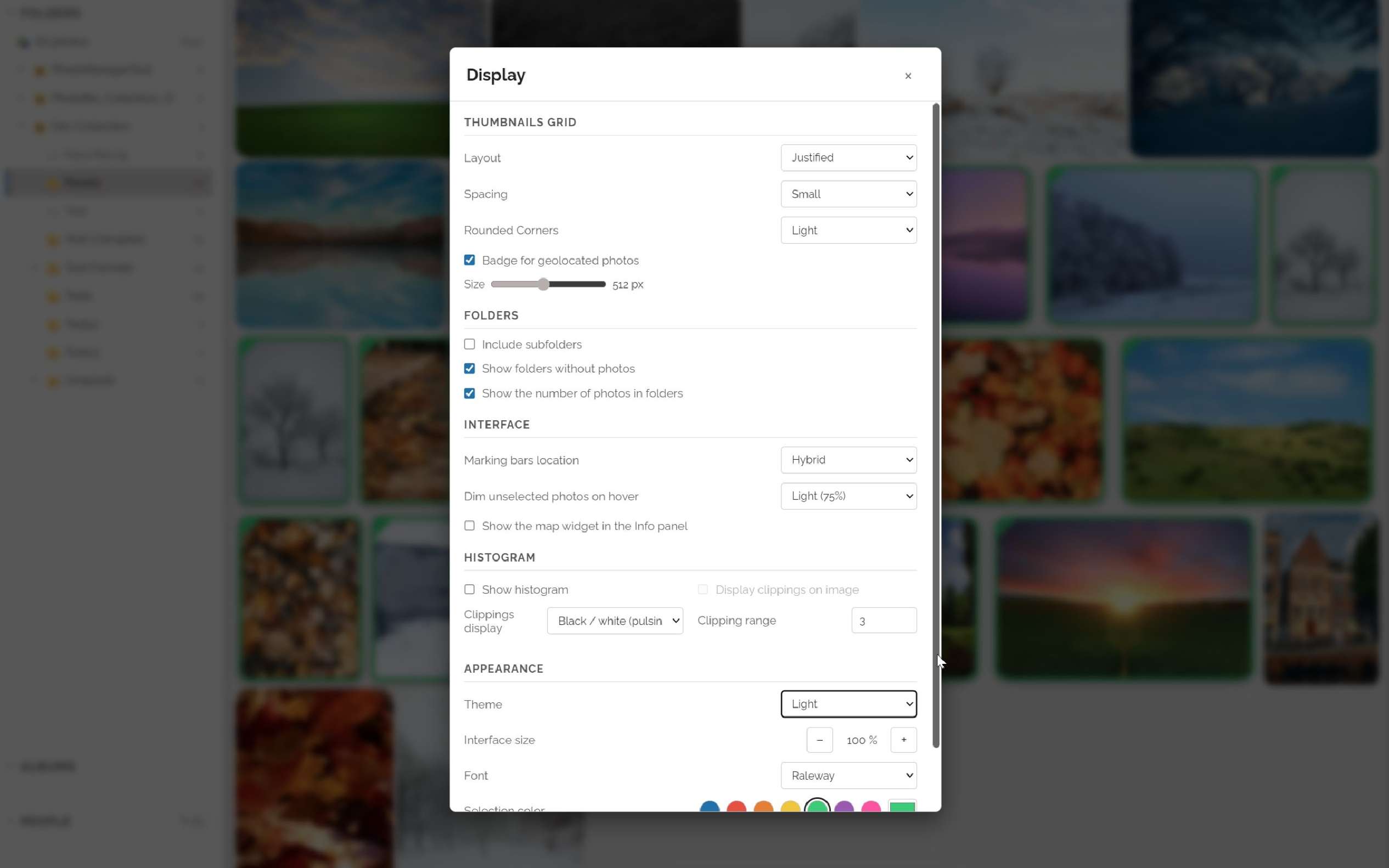
Display optionsTune interface to your needs and taste
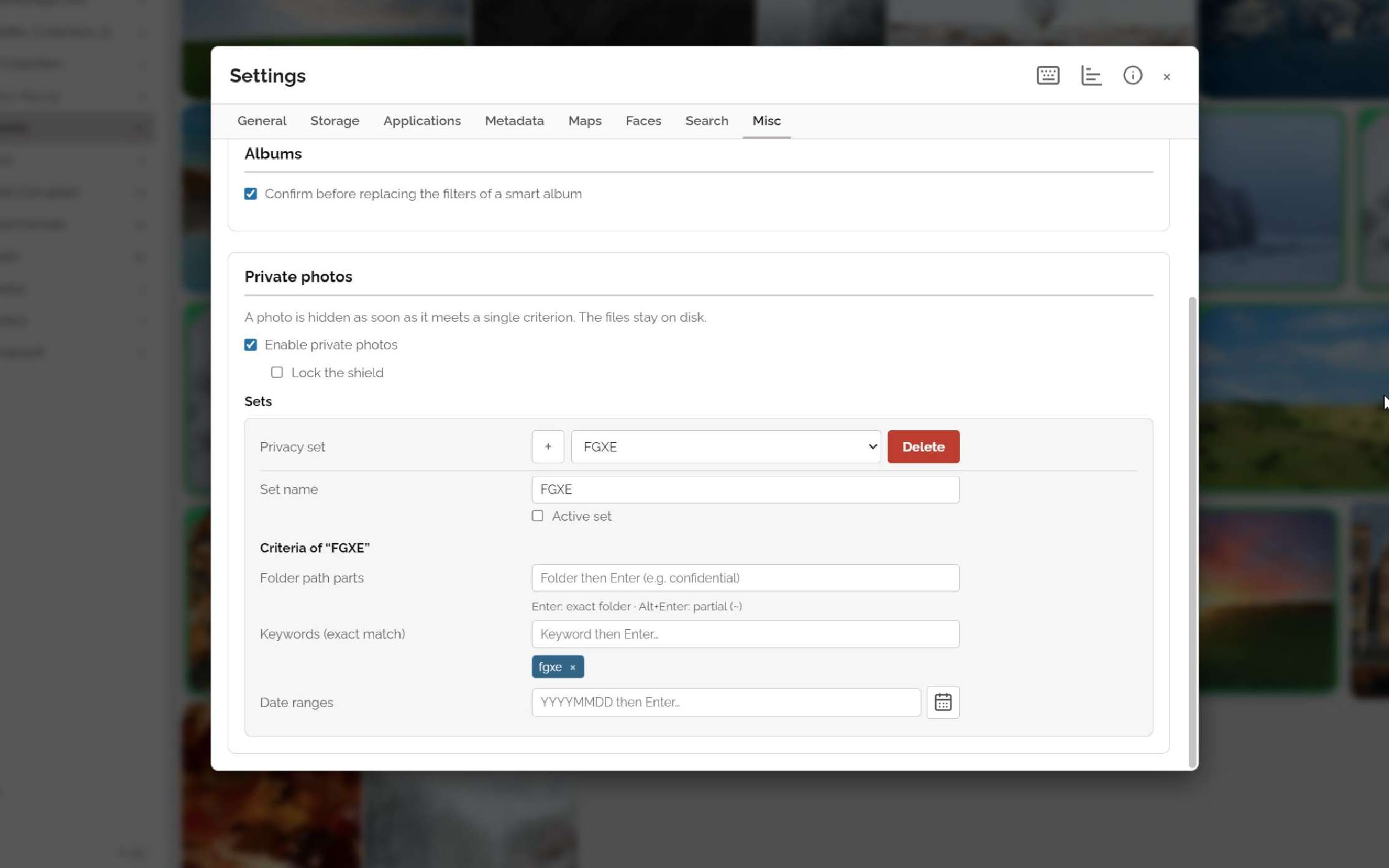
Private photosSet rules to filter sensitive photos out. They can be called quickly from main view and cumulated.
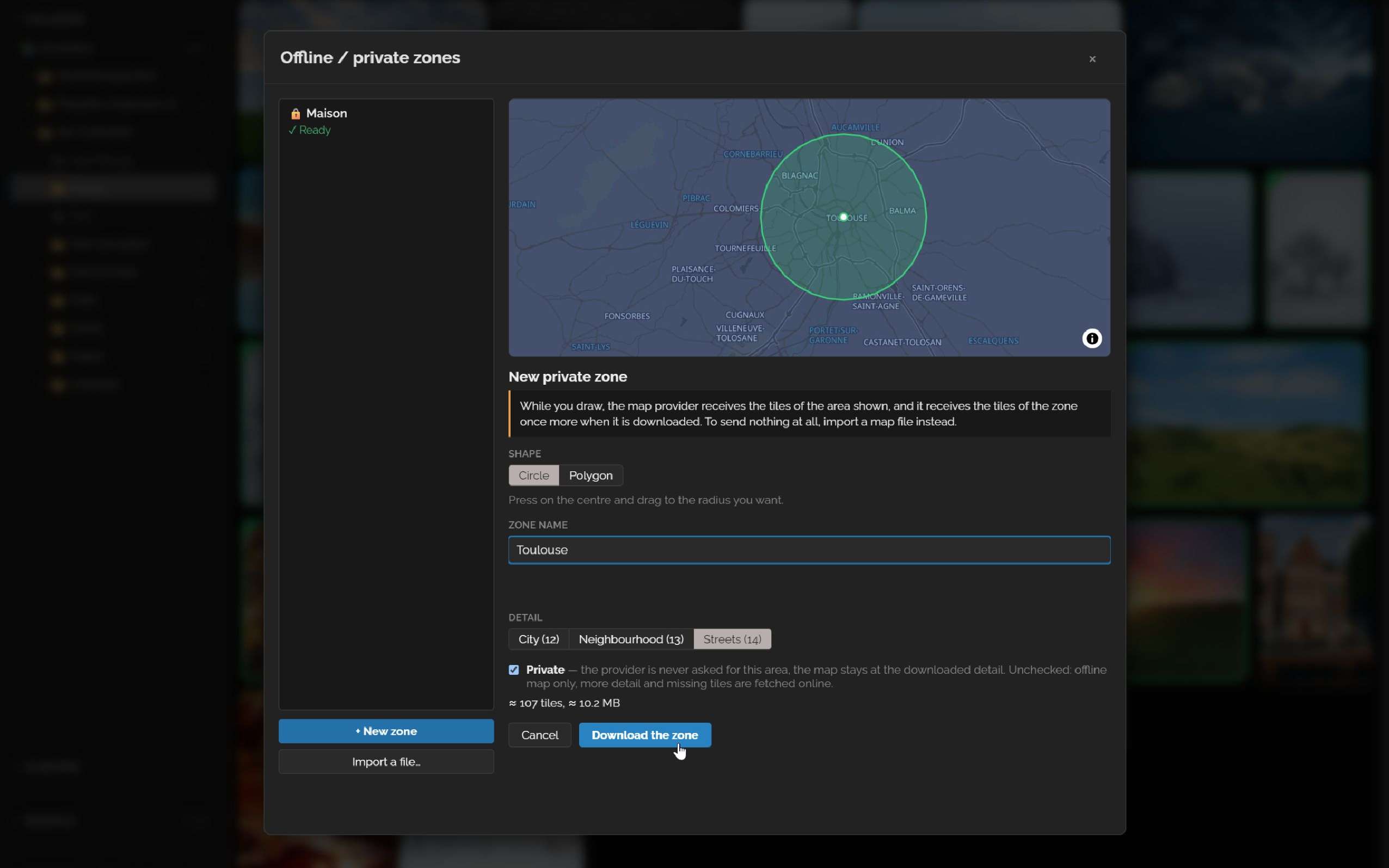
Set private mapsDownload maps to be offline and private in app, or import MBTiles.
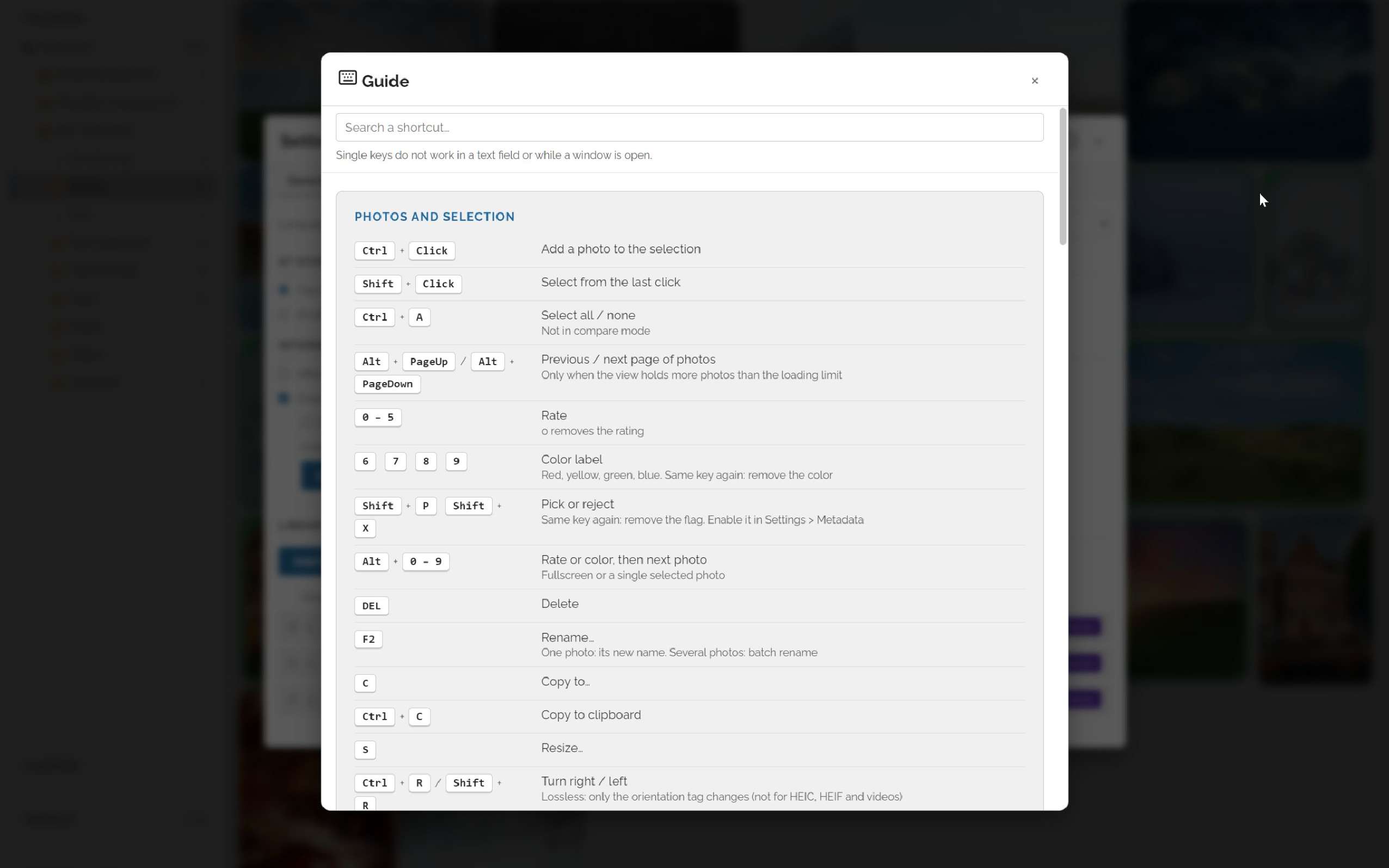
In-app shortcuts guideHit [G] and see a searchable list of all keyboard and mouse shortcuts / actions.
Collection StatisticsSee your collection in time and numbers.
Batch ResizeBatch resize your collection to another folder before sharing.
Integrity checkScan your collection for corrupted files (example scan on a test set of intentionally corrupted files).
Essential SettingsSet the watched photo folders, data storage location, enable 100% offline mode…
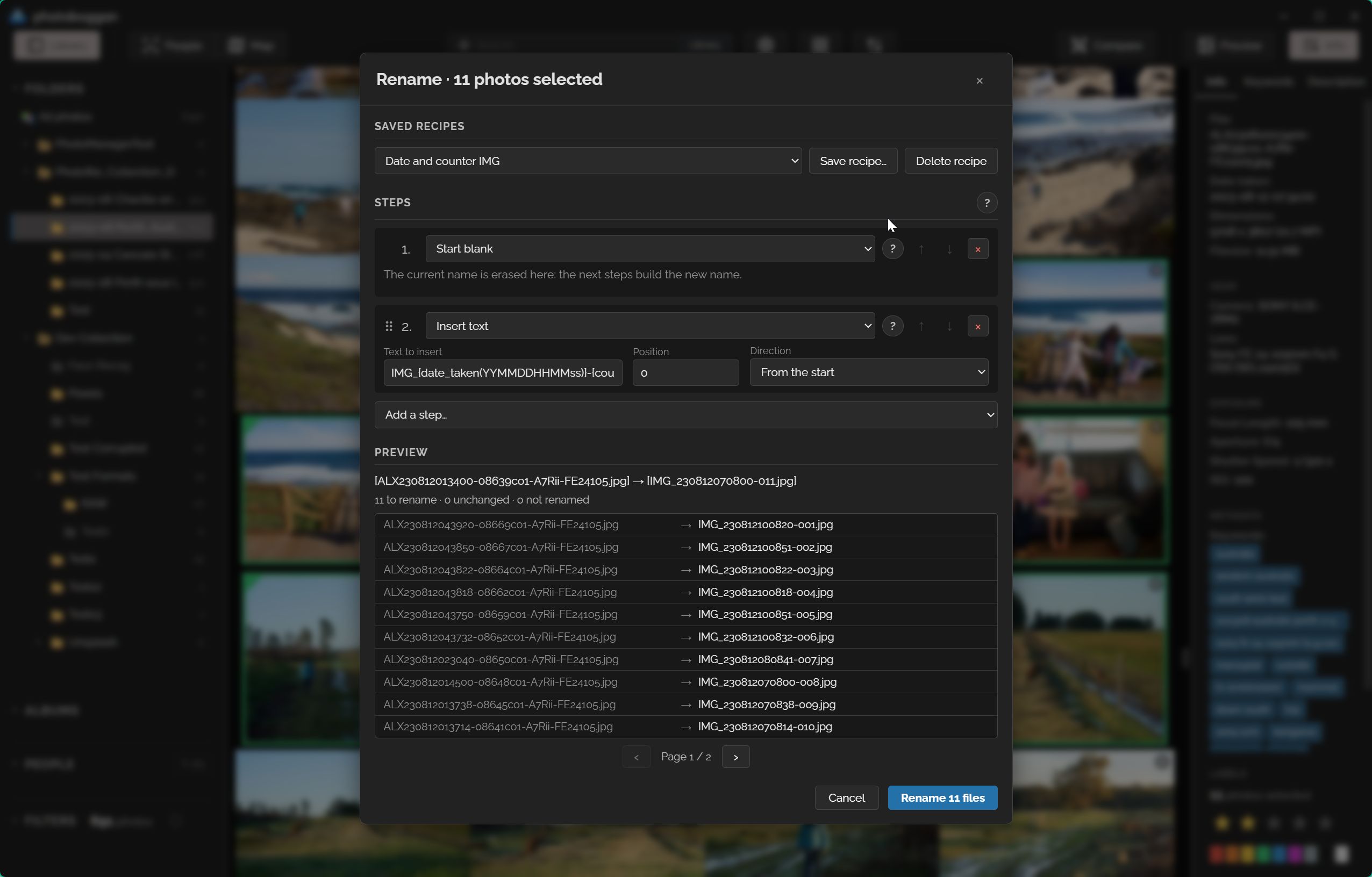
Batch renameRename pictures in batches and automatically insert author, date and time taken, counters, make replacements…
Honest answers
Frequently asked questions
Is my photo library really safe? Do you ever touch my pixels?
Never. photoboggan only edits the metadata part of your files (EXIF, IPTC, XMP). Image data is never decoded, recompressed, or rewritten. Every write is atomic (staged to a temporary file first), verified by an immediate read-back, and automatic recovery kicks in if anything fails. Even rotation is lossless: only the orientation tag changes.
How is this different from digiKam or Lightroom?
Catalog applications like Lightroom ask you to import your photos into their own database and workflow. photoboggan does the opposite: your folders on disk stay the single source of truth. There is no import step, no proprietary vault, and nothing to export when you leave—metadata is written in standard formats that digiKam, Lightroom, ACDSee, and Windows Explorer read natively.
digiKam does much more than photoboggan, but this has a cost in visuals, simplicity of UI and general responsiveness, while you probably don't need all the features on a daily basis.
Can it really handle 200,000+ photos?
Yes. The grid is virtualized (50,000 thumbnails per page), thumbnails are cached in a 256-folder hashed layout, RAW files display their embedded JPEG preview (no slow demosaicing), and a multi-threaded Rust backend with SQLite keeps everything responsive. Initial scan and thumbnail generation take a while—after that, everything is near-instant.
Do the AI features send my photos anywhere?
No. Face detection (YuNet), face recognition (SFace), and content search (SigLIP 2) all run 100% locally via ONNX Runtime. They are disabled by default and have zero impact when off. You can even import the models manually for a fully air-gapped setup.
What file formats are supported?
All common raster formats (JPEG, PNG, WebP, HEIC/HEIF…), RAW files from major manufacturers via their embedded previews, and videos (thumbnail + open in your OS player). Metadata is written inside JPEG/HEIC files, and into standard .xmp sidecars for RAW, PNG, and videos—compatible with other tools.
Is it free? Where does the money come from?
photoboggan is free and open source under GPL-3.0, with no ads, no telemetry, and no paid tier. It is a passion project by a hobbyist photographer, developed with heavy AI assistance that was reviewed, tested, and audited at every step.
Ready to rediscover your photo library?
Download the latest release on GitHub, read the user guide, or inspect every line of Rust and JavaScript source code.